
Bingel Video: HD Player Hub
International NewsVideo Players & Editors
4.06.00 Reviews
- Version
- 1.0.6
- Installs
- 100.00K
- Age Rating
- Everyone
Screenshots
Our Review of Bingel Video: HD Player Hub
 Analysis by Appyee
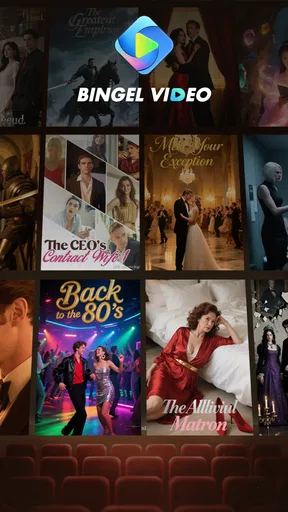
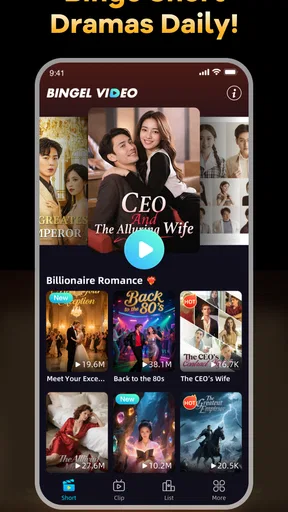
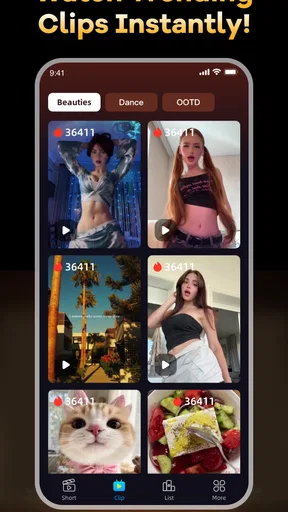
I opened Bingel Video: HD Player Hub expecting a straightforward way to browse short entertainment, and that is exactly the role it seems designed to fill. It sits in the video players and editors category, but my experience is closer to using a compact short-form video hub than a full editing workstation. The app focuses on quick viewing, short dramas, and currently popular clips, with HD playback positioned as part of the appeal.
That makes it easy to understand from the first launch. I do not have to learn a complicated editing timeline or sort through professional controls before watching something. Instead, the useful question is whether the app can make a small break in the day feel effortless. For people who want a few short videos while waiting for a bus, taking a lunch break, or winding down before bed, that focused purpose is its strongest starting point.
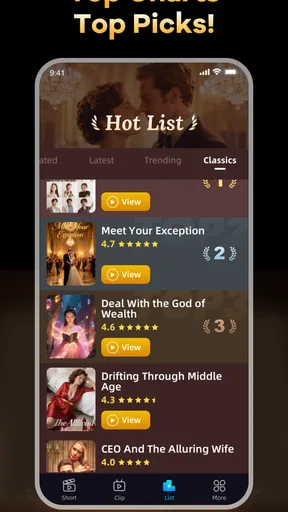
Bingel Video: HD Player Hub is free to use and carries an Everyone age rating, so it is approachable for a broad audience. It was released on June 20, 2025, and the current version is 1.0.6. The developer shown for the app is International News. Its early store presence includes an average rating of 4.0 from around 59 ratings, alongside more than 100K installs, which suggests a modest but real audience rather than a completely untested listing.
From opening the app to finding something worth watching
The natural workflow begins with a simple need: I have a few minutes and want video without committing to a long program. Bingel Video addresses that need by putting short dramas and trending clips at the center. That distinction matters because it changes how I judge the app. I am not looking for the deep library management, creator tools, or advanced playback controls I would expect from a more established media platform. I am looking for a quick path from opening the app to pressing play.
The first useful habit is to treat the opening screen as a discovery surface rather than a personal media library. If I already know the exact film, episode, or creator I want, a conventional streaming service or a dedicated video platform may be faster. Bingel Video makes more sense when I am willing to browse and let the app present short entertainment options. That is a small but important trade-off: less planning, more discovery.
Short dramas are particularly suited to this workflow. A viewer can watch one segment during a brief pause and decide later whether to continue with something similar. I found that this format reduces the pressure of choosing a long show. It also works well for someone who prefers stories delivered in compact pieces instead of clips that end almost immediately without any narrative shape.
The HD emphasis helps when the source material and connection support it, especially on a modern phone where soft video is distracting. Still, I would not interpret the HD wording as a guarantee that every clip will look identical. Video quality depends on the material being served and on the network at the moment of playback. A stable connection is therefore part of the viewing experience, not an optional detail.
A practical viewing routine
My most useful routine with this kind of app is to begin with a clear time limit. I open it when I want a handful of short viewing sessions, browse the available dramas or trending clips, and stop once I have found something that matches my mood. This prevents the familiar problem of spending more time choosing than watching. Bingel Video is strongest when I use it as a lightweight entertainment stop, not as the only video service on my phone.
For a commuter, the handoff is simple: the app supplies the discovery step, the phone supplies the screen and sound, and the viewer supplies the decision about whether to continue. If the connection changes while travelling, the experience can become less predictable. I would choose a more established service with dependable offline support when I know I will be underground, flying, or moving through areas with weak coverage.
At home, the app can fit a different routine. I might use it after dinner to sample a short drama before deciding whether I want a longer program elsewhere. That makes it a useful filter for my attention. Instead of searching through a large catalogue, I can let short-form material show me whether I am in the mood for romance, suspense, comedy, or another style. The benefit is speed; the cost is having less control over the exact selection process.
One non-obvious advantage of this approach is that short clips lower the cost of experimentation. With a traditional long-form service, trying an unfamiliar title can feel like a commitment. Here, the viewer can test the tone quickly and move on if it does not work. That is valuable for people who often abandon shows after a few minutes, although it will not satisfy someone who wants a carefully curated, uninterrupted viewing plan.
What happens when viewing becomes a handoff
The app’s role does not end with discovery. A useful viewing flow has several handoffs: from the app’s selection to the player, from the player to the phone’s display and audio, and finally from one clip to the next. Each handoff can affect whether the experience feels smooth. A good recommendation is wasted if the player takes too long to become useful, while clear video loses its value if the phone is being used in a noisy environment without suitable audio.
I would use headphones when watching in public, both for privacy and for dialogue clarity. At home, the phone speaker may be enough for casual clips, but short dramas often depend on spoken lines, so a quiet room improves the result. This is a practical point rather than a feature claim: the app can present the video, but the surrounding setup still determines how enjoyable it is.
The same applies to screen size. Bingel Video is naturally suited to phone viewing because its purpose is quick access, but a larger display is more comfortable for longer sessions. If I plan to watch several episodes or spend an evening with video, I would compare it with a full streaming app designed around larger-screen continuity. If I only have a few minutes, the phone-first format feels more appropriate.
Another useful handoff is the decision to leave the app. I do not see value in forcing every viewing need into one place. Bingel Video can be the first stop for a short drama or a trending clip, while a conventional player remains better for my own saved files and a subscription service remains better for planned long-form viewing. Thinking of it as one part of a video routine gives it a clearer purpose and avoids expecting it to replace tools built for different jobs.
Who gets the best result from it
I would recommend this app to someone who likes discovering short entertainment without paying an entry fee. It is also a reasonable choice for viewers who enjoy short dramas and want a quick way to sample popular clips. The Everyone rating makes it easier to consider for a shared household, although adults should still use their own judgement about whether individual videos suit younger viewers.
It may also suit people with limited attention windows. A student between classes, an office worker on a break, or a traveller waiting for a connection can open the app with no elaborate preparation. The outcome is not necessarily a complete evening of entertainment; it is a convenient collection of small viewing opportunities. That difference is important because it sets a realistic expectation from the beginning.
I would be less enthusiastic about recommending it to someone who wants a private library of downloaded films, advanced playback customization, professional editing, or a carefully organized watchlist. The category label includes video players and editors, but the app’s recognizable identity is its short-video discovery use. Anyone choosing it for serious editing work would likely be looking in the wrong place.
It is also not the best fit for viewers who dislike algorithmic or trend-led browsing. If I already know what I want to watch and expect precise control over titles, seasons, subtitles, playback history, or device handoff, a mature streaming or media-player alternative will probably feel more complete. Bingel Video’s appeal comes from reducing the effort needed to start, not from offering every possible control.
Concrete ways to use it more intelligently
My first tip is to separate sampling from commitment. Watch a short portion to decide whether the tone works for you, rather than assuming that a popular clip must match your taste. This protects the app’s main advantage—fast discovery—without letting a trending label make the decision for you.
My second tip is to use it at the right point in the day. It is a better match for planned small breaks than for situations where I need guaranteed continuity. If I am about to lose reception, I would not depend on it as my only source of entertainment. If I am sitting somewhere with a reliable connection and want something immediate, it becomes much more practical.
My third tip is to judge the app by the quality of the complete handoff, not just by the first clip. I pay attention to whether I can move naturally from discovery to playback and then decide what to do next. If that rhythm feels comfortable, the app has done its job. If I find myself repeatedly searching for a specific title or fighting the format, I switch to a service built around direct selection.
A fourth insight is that the free price changes the decision threshold. I can install it as a supplementary video option without making it the centre of my media setup. That makes experimentation reasonable, but it also means I should not overlook the value of my time. Free access is useful only if the path from opening the app to finding enjoyable material remains short.
Where the workflow can break down
The main weakness is the same feature that makes the app approachable: its narrow focus. Short dramas and trending clips are excellent when I want quick discovery, but they are not a substitute for a broad, structured catalogue. If I want to resume a long story, manage a personal collection, or watch a specific piece of content, I may spend more effort adapting to the app than I would with a conventional alternative.
Network conditions are another potential interruption. HD playback can look appealing on a strong connection, yet mobile viewing is not always stable. A pause, quality change, or slow transition can break the mood of a short drama because each segment is brief and momentum matters. I would therefore use a reliable Wi-Fi connection when picture quality is important and keep expectations modest while travelling.
The app’s relatively early stage also affects how I view it. Version 1.0.6 shows that it is still a young product, and the audience size is growing but not enormous. That does not make it unusable, but it encourages me to approach it as a focused, developing video hub rather than a fully mature replacement for every player or streaming platform. The rating of 4.0 is encouraging, though the small review base means I would treat it as a useful signal rather than a complete verdict.
There is also a personal risk with trend-based content: the available material may not always match my mood. On one day, the short dramas may provide exactly the quick escape I want. On another, I may prefer a documentary, a saved local file, or a long episode. The app works best when I accept that variation and keep another video option available instead of expecting Bingel Video to cover every category.
My overall recommendation
After following the full workflow—from needing something quick, through browsing and playback, to deciding whether to continue—I see Bingel Video as a convenient companion rather than a universal video solution. Its free access, short-drama focus, trending clips, and HD-oriented presentation give it a clear place on a phone. I especially like the low commitment: I can test a clip without planning an entire viewing session.
The recommendation comes with a boundary. Choose it if your priority is casual discovery and compact entertainment. Skip it if your priority is advanced editing, offline reliability, a deep personal library, or precise control over known titles. In those cases, a dedicated media player, established streaming service, or professional editor will serve you better.
For me, the best outcome is a small but useful one: Bingel Video makes an empty few minutes easier to fill with short-form viewing. It does not need to replace the rest of my video tools to be worthwhile. As long as I use it for the job it handles best—quickly finding and watching short dramas and popular clips—it earns a place as a simple, approachable addition to a mobile entertainment routine.
Verdict
Strengths of Bingel Video: HD Player Hub
- Supports a wide range of popular video formats.
- Simple interface makes playback easy for new users.
- Useful media library for organizing local video files.
- Offers smooth playback on compatible Android devices.
- Convenient hub for accessing videos from one place.
Limitations of Bingel Video: HD Player Hub
- May include intrusive ads in the free experience.
- Some advanced playback tools may require extra permissions.
- Performance can vary on older or budget devices.
- Subtitle support may be limited for certain file types.
- Not all advertised features may be available in every region.
Similar Picks in This Category
View All
Google TV
Google LLC3.9

iTunes
Apple4.7

YouTube
Google LLC3.8

MX Player
Amazon Mobile LLC4.2

CapCut - Video Editor
Bytedance Pte. Ltd.3.5

PLAYit-All in One Video Player
PLAYIT TECHNOLOGY PTE. LTD.4.5
Frequently Asked Questions
What is Bingel Video: HD Player Hub used for?
Bingel Video: HD Player Hub is designed as a media-player application for watching locally stored video content on a compatible Android or iOS device. It may provide common playback controls such as play, pause, seeking, volume adjustment, screen rotation, and full-screen viewing. Before downloading, users should check the current store description to confirm the supported formats, available tools, and whether the app matches their personal viewing needs.
Which video formats does Bingel Video: HD Player Hub support?
Format compatibility can vary depending on the app version, operating system, and the device’s built-in media capabilities. Bingel Video: HD Player Hub may handle popular formats, but users should not assume that every file type, codec, subtitle format, or high-resolution video will work correctly. If you plan to play MKV, AVI, HEVC, or unusual files, review the official listing and test a sample video before relying on the app.
Does Bingel Video: HD Player Hub require an internet connection?
A media player can generally play videos saved on the device without continuous internet access, which is useful for travel or areas with limited connectivity. However, Bingel Video: HD Player Hub may still need internet access for downloading the app, displaying advertisements, loading optional online features, or checking updates. Actual offline behavior may depend on permissions, the source of your videos, and the version installed.
Is Bingel Video: HD Player Hub free to download and use?
The application may be available to download without an upfront charge, but users should carefully review the Google Play or App Store listing for advertisements, optional purchases, subscriptions, or feature limitations. Free access does not always mean that every playback tool is included. Check the pricing section, in-app purchase details, and cancellation terms before subscribing or entering payment information.
Is Bingel Video: HD Player Hub safe and what permissions does it request?
Safety depends on downloading the app from an official store, keeping it updated, and reviewing its developer information and privacy policy. A video player may request access to photos, files, or media so it can locate and play videos, but unrelated permissions deserve closer attention. Before installation, examine the current permissions, data-collection disclosures, ratings, and reviews, and avoid granting access that is not necessary for playback.
